
You are checking your court case status in Gurgaon. The e-Courts portal opens. A field asks for your CNR number. You type in your case number from the first hearing memo and nothing comes back. Or you found the case on the portal but you are not sure what the statuses you are seeing actually mean. Most people stop there, assume the system is broken, and walk away with no idea where their case stands. The CNR number is not the case number, and the e-Courts portal tracks matters differently than the local Gurgaon district court system does. Understanding that difference takes less than ten minutes and changes the entire search.
What is a CNR Number and Where Do You Find It?
CNR stands for Case Number Reference. It is the unique identifier the e-Courts project assigns to every case moving through the Indian court system. The format is consistent: a two-digit court code, a four-digit year, a two-digit case type code, and a sequential case number, separated by hyphens in the standard written form. The CNR is generated when a case is registered in the e-Courts system, typically at the time of filing or first listing. It is printed on the first court memo, stamped on the case file you get at the registry window, and appears in the header of every order you download from the e-Courts portal.
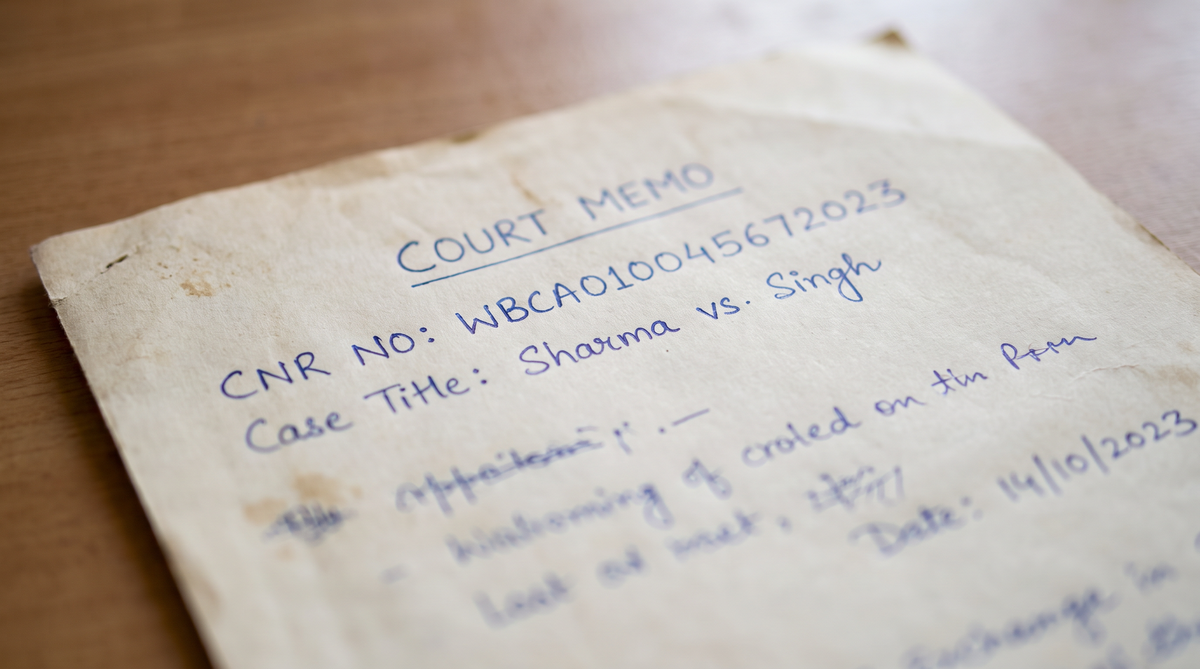
The most common mistake is using your local case number where the portal expects the CNR. Gurgaon district courts run their own internal case numbering system, and that number looks superficially similar to the CNR but will not resolve in the e-Courts portal. If you only have your local case number, search by that first on the Gurgaon-specific portal, then cross-reference the result to confirm the CNR before searching the national e-Courts database.
How the e-Courts Portal Resolves a CNR Search
When you enter a CNR into the e-Courts portal, the system looks it up in a national database that aggregates case data from district courts, sessions courts, and subordinate courts across all states. The portal does not pull data directly from the Gurgaon court in real time. There is a processing delay between when a hearing happens and when the outcome is reflected in the national system. In practice, that delay ranges from one business day to a week depending on the court and the type of matter.
This is why a CNR search can show an earlier hearing date than the one that actually happened at the Gurgaon court. The portal record is a summary snapshot, not a live feed. For anything time-sensitive, confirm the hearing outcome by checking the local Gurgaon court portal or asking the clerk at the registry window. The e-Courts record is authoritative for tracking and reference, but it lags the ground truth.
Common CNR Search Problems and Their Fixes
The CNR Returns No Results
If the portal shows no records, the most likely causes are a data entry error, a case that has not yet been indexed in the national database, or a case that was filed before the e-Courts system began covering that court. Gurgaon district courts have been integrated into e-Courts for years, but very old matters filed before the system went live in your specific court may not have a live CNR record even if a CNR was assigned. Confirm the CNR character by character against the memo. Then try the search again after two to three business days if the case is recent.
The CNR Resolves But the Status Is Out of Date
A case that shows as “listed” or “adjourned” on the portal but had a hearing last week is showing the portal’s last synced snapshot. The national database updates on a schedule, not in real time. The hearing did happen. The record just has not caught up yet. Check the local Gurgaon court portal for the current status. If you need the updated record for legal purposes, download the latest order from the local system or request a certified copy from the registry.
The CNR Resolves but the Details Are Wrong
Party names, case type, or court name appearing incorrectly in the e-Courts record is a data entry error at the filing stage. These errors do happen. The fix is to raise a correction request through the local court registry. You do not fix this through the e-Courts portal. Submit a written application to the court that originally registered the matter, attach a copy of the memo showing the correct details, and request the record be amended. The correction propagates to the e-Courts system once the local registry updates its own database.

CNR Number Versus Local Case Number: The Difference That Matters
These are two different identifiers for the same matter. The local case number is assigned by the Gurgaon district court’s internal filing system and is what you use when dealing with the court clerk, downloading orders from the local portal, or referencing the matter in filings. The CNR is assigned by the national e-Courts project and is what you use when searching the e-Courts portal or tracking the matter across states. Both are valid. Using one where the other is expected is the most frequent cause of “my CNR is not working” complaints.
A practical rule: keep both numbers in your case file. The local case number goes on every application, notice, and order you receive from the Gurgaon court. The CNR goes on your tracking sheet and is what you type into the e-Courts portal. If you only have the CNR and need to file something in Gurgaon, the clerk will ask for the local case number. The two are cross-referenced in the registry database.
How to Get Your CNR If You Do Not Have It
If you were not the original party to the matter and do not have a copy of the first court memo, there are two ways to find the CNR. The first is to search the e-Courts portal by party name. The portal allows a name-based search that returns a list of matters associated with that name. Find your case in the list and read the CNR from the result. The second is to go to the Gurgaon court registry in person with the party name and any identifying detail you have. The clerk can look up the matter and tell you the CNR directly.
Tracking a Gurgaon Case From a Different City
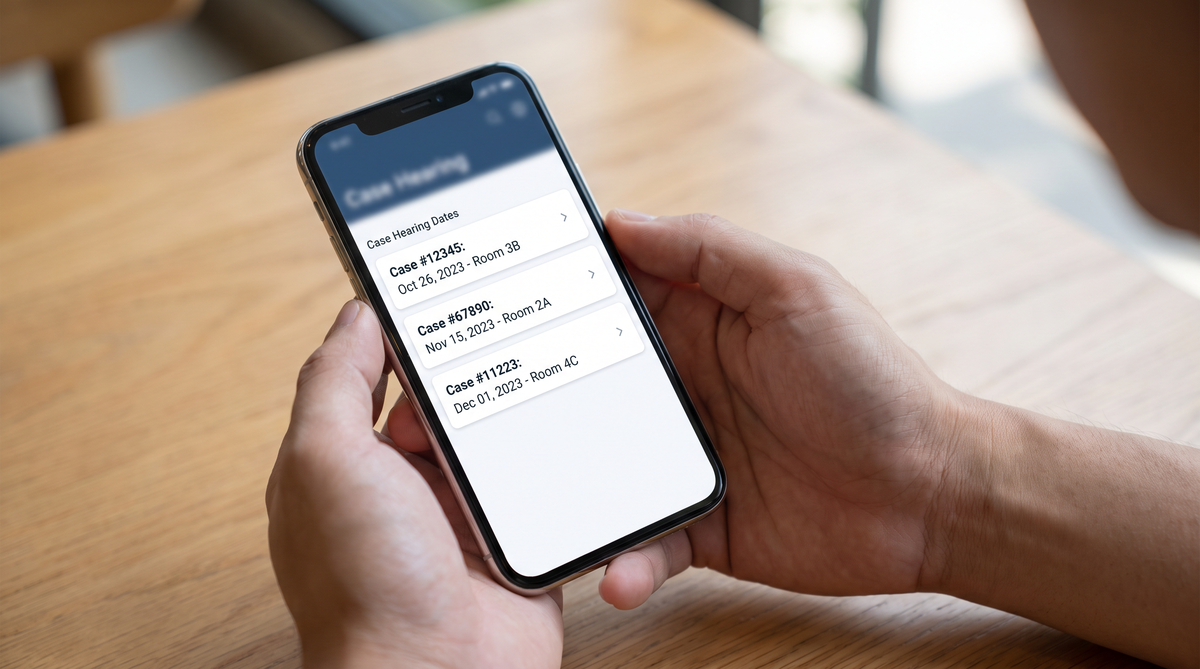
One of the main reasons people search for a CNR outside their home city is that the matter is in Gurgaon but the party or lawyer is based elsewhere, often in Delhi or Noida. The e-Courts portal solves this. You do not need to travel to Gurgaon to check the status of a matter listed there. Enter the CNR, select the Gurgaon district, and the portal returns the hearing history, current status, and the most recent order. If you need a certified copy of the order, you can request one through the portal for many matter types or go to the Gurgaon registry in person. For the full process of finding and downloading a Gurgaon court record, see our guide to checking Gurgaon court case status.
When a CNR Search Points to a Bail or Anticipatory Bail Application
A significant share of CNR searches in Gurgaon are driven by criminal matters where a party has applied for bail or anticipatory bail and is tracking the outcome. If the e-Courts record shows a bail application as “listed” or “adjourned” and you are waiting for the order, the order will appear in the portal once the court uploads it. The delay between the hearing and the order appearing is typically one to three business days for routine bail matters. For the full process of how bail applications move through the Gurgaon district court, see our guide on the bail process in Gurgaon.
CNR Records and Cross-City Family Court Matters
Family court matters in Gurgaon are tracked with the same CNR system but handled in a separate docket. If you are tracking a custody or maintenance matter in Gurgaon and the other party is in a different state, the e-Courts record is the only place where both the Gurgaon hearing history and any transfer or appellate record in another state will appear together. For the full procedure of filing and tracking a child custody matter in Gurgaon, see our guide on child custody in Gurgaon family court. The CNR is the bridge between the two dockets.
Frequently Asked Questions
Can I search a Gurgaon court case by party name instead of CNR?
Yes. The e-Courts portal has a party name search that returns all matters associated with that name. Find the specific matter in the results and read the CNR from the entry. This is the fastest way to get a CNR if you do not have one. Name search is less precise for common surnames, so filter by court and year if the results are long.
How long does it take for a hearing outcome to appear on the e-Courts portal?
Typically one to three business days after the hearing for routine matters. Some courts batch their uploads, so a matter that was heard on a Friday may not appear until early the following week. If the record is not updated after a week, check the local Gurgaon court portal directly or contact the registry.
Is the CNR the same as the filing number?
No. The filing number is assigned by the local court at the time of submission and is used for local registry purposes. The CNR is assigned by the e-Courts project and is used for the national tracking database. Both are valid identifiers for the same matter. Use the filing number for local filings and the CNR for e-Courts portal searches.
Can I download a certified copy of a Gurgaon court order from the e-Courts portal?
For many matter types, yes. The e-Courts portal allows you to view and in some cases download order documents associated with a CNR. If a certified copy is required for legal proceedings, the portal copy may not carry the court seal. For certified copies, go to the Gurgaon registry or request one through the local court’s online filing system.
What if my CNR is showing a different case type than what was filed?
That is a data entry error at the filing stage. The e-Courts record inherited the error from the local court’s registration. Raise a correction request with the Gurgaon court registry that originally filed the matter. The correction propagates to the e-Courts system once the local registry amends its own database. The e-Courts portal itself does not accept direct corrections.
Need help navigating your Gurgaon court matter?
Our team handles court status tracking, bail applications, and family court matters across Gurgaon, Noida, and Delhi. For a case-specific evaluation of where your matter stands, reach out to Bijlani & Associates at Patiala House Courts, New Delhi, or call +91 89685 60456.


